Type Coverage
4/18 types representedNot represented: Normal, Grass, Ice, Fighting, Poison, Ground, Psychic, Bug, Rock, Ghost, Dragon, Dark, Steel, Fairy
SYNCING TEAM ASSEMBLY UNIT
1,025 RECORDSDefault team ready. Preparing all 1,025 Pokémon in the background…
Team size 3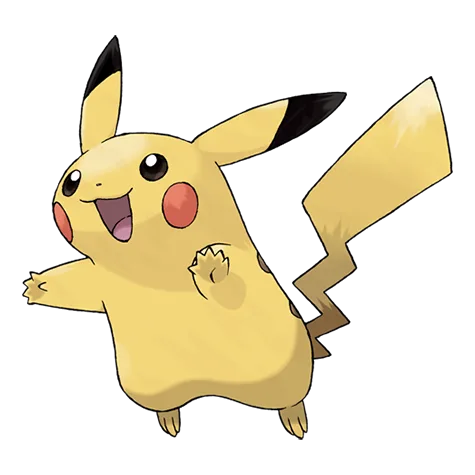
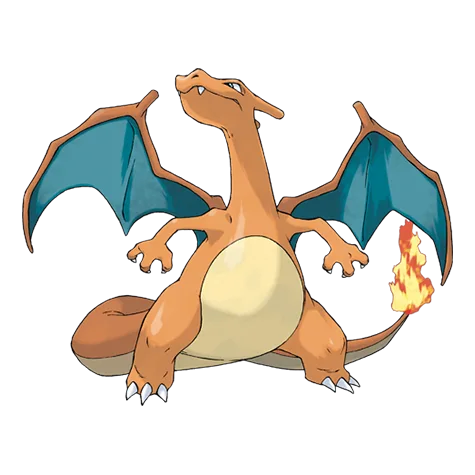
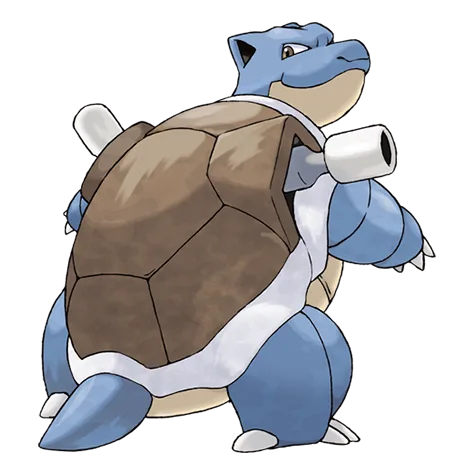
Party diagnostics
Not represented: Normal, Grass, Ice, Fighting, Poison, Ground, Psychic, Bug, Rock, Ghost, Dragon, Dark, Steel, Fairy
Set the size, narrow the pool if needed, then generate. Every slot can be replaced without rebuilding the whole team.
Choose 3 or 6 Pokémon.
Optionally, filter by generation, type, or legendary status.
Choose Generate Random Team. Replace any Pokémon without changing the rest of your lineup.
Random Pokémon team generator is a free online tool that instantly selects 3 or 6 unique Pokémon from all 1,025 species. Use it for casual battles, themed playthroughs, Nuzlocke variants, or quick team inspiration without signup or download. Every result avoids duplicate members and remains editable one slot at a time.
The pool covers Generation I through IX: Kanto, Johto, Hoenn, Sinnoh, Unova, Kalos, Alola, Galar and Hisui, then Paldea. Generation filters follow the region where a species debuted, not every later game where it can appear. Choose one generation for a period-specific roster, or keep all nine active to mix early favorites with recent species.
A random Pokémon team generator removes the bias toward familiar starters and competitive staples. Generate first, inspect the result, then decide what strategy or challenge the lineup suggests. This gives overlooked defensive types, unusual abilities, and modest stat profiles a fair chance to shape the team.
Traditional Nuzlocke rules still use the first eligible encounter in each area. For a custom variant, generate starters, define a backup box, or draft a post-wipe party before the run begins. Write the rule down first so every reroll stays fair and the random constraint remains meaningful.
Narrow the pool by generation, any of the 18 types, or legendary status. Multiple selections widen the pool: Fire and Flying accepts either type, while Gen I and Gen III accepts either debut generation. Include keeps every eligible species, Exclude removes legendary and mythical Pokémon, and Only Legendary uses those categories alone.
Filter changes remain pending until you generate. Replacing one slot follows the same active rules, preserves the other members, and prevents duplicates. A full reroll avoids simply returning the current lineup when the eligible pool is large enough, while a slot replacement excludes every species already on the team.
The diagnostics describe the generated roster. They do not grade a finished competitive build. Use them as prompts for the next decision, then inspect moves, abilities, items, and format legality in the game or simulator where the team will be used.
Counts the types represented by team members. It shows roster variety, not move coverage or shared weaknesses. Review individual matchups before treating a high number as balanced.
Shows when each species entered the National Pokédex. Use it to verify generation-locked challenges or see whether the roll favors classic or recent designs.
Adds each base stat across the party. Compare the shape of the totals; high Speed suggests a faster roster, while HP and defenses suggest more staying power. Moves, items, abilities, and matchups still decide performance.
Choose the format before refining slots or sharing the team.
Best for compact challenges, Battle Spot Singles-style cores, and quickly comparing several ideas. Shared weaknesses matter more because every slot has to work and switching options are limited.
Best for story parties and full singles rosters. The extra slots make room for defense, support, speed control, and unusual picks that would be difficult to justify in a trio.
A random Pokémon team generator supplies the species. These five checks turn the result into a usable plan.
Check species availability and the rules of your game or format before choosing moves and items.
Replace one slot if several members lose to the same common type or struggle against the same defensive answer.
Use stats to identify attackers, defensive pivots, and support candidates instead of asking every member to do everything.
Set the rule before a challenge so the unexpected core survives and difficult choices remain part of the run.
Copy the link before editing, then export to Showdown when you are ready to add battle details and test.
Five direct answers about filters, generations, team size, and sharing.
Yes — use the Type filter to select a single type, such as Fire, and every Pokémon in the generated team will include that type. This is ideal for monotype challenge runs.
Choose 3 Pokémon for a compact Battle Spot Singles-style squad or a quick challenge, and 6 Pokémon for a standard full party. You can switch sizes above the generator at any time; official formats may use their own bring-and-select rules.
Yes — all 1,025 Pokémon from Generation I through Generation IX, including species introduced in the Scarlet & Violet DLC, are in the pool.
Yes — open the Generation filter and select a single generation, such as Gen I (Kanto) or Gen III (Hoenn). Every Pokémon generated will belong to that generation. This is useful for themed playthroughs or region-locked challenges.
Yes — use the Copy Link button after generating a team. The link encodes the entire lineup and filter settings, so anyone who opens it sees the exact same team. You can also use Copy Team for a text list or Export to Showdown for Pokémon Showdown format.
Looking for a single random Pokémon?